Reset Passes
Instantly restore your DevPass weekly premium allowance
Plan changes from October 15, 2026
DevPass subscription prices stay the same, but included usage decreases. Daily and premium weekly caps and Reset Pass benefits change on October 15; existing monthly allowances change at the first renewal on or after that date. New subscriptions from that date start with the new allowance. Review the dated plan-change notice before subscribing.
DevPass plans include a weekly fair-use allowance for premium frontier models. A Reset Pass restores that full allowance the moment you redeem it — no waiting for the rolling 7-day window — and a fresh window starts with your next premium request. The pass card lives on the DevPass dashboard directly under the premium allowance meter, styled as a stamped visa extension: each pass you hold appears as a stamp.
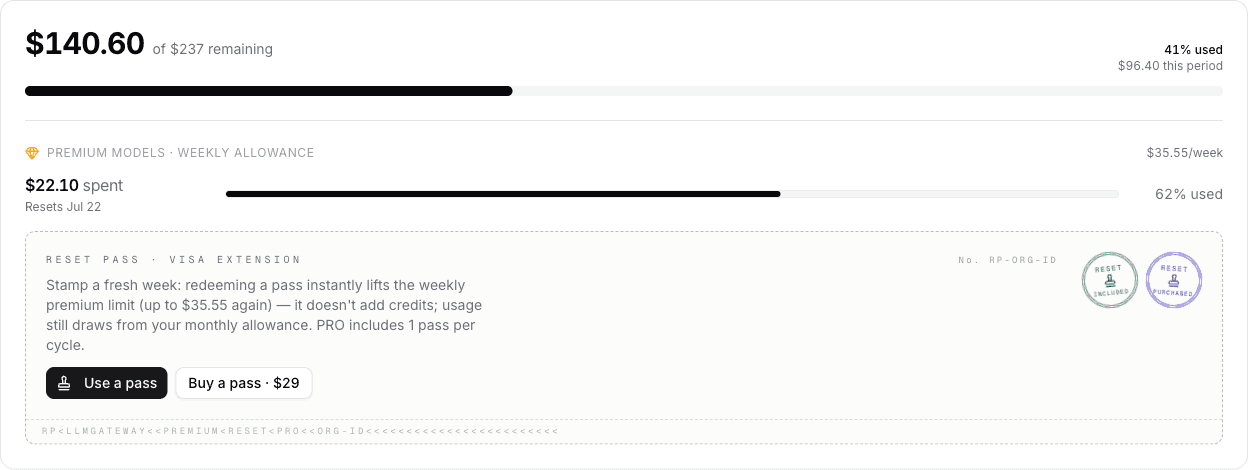
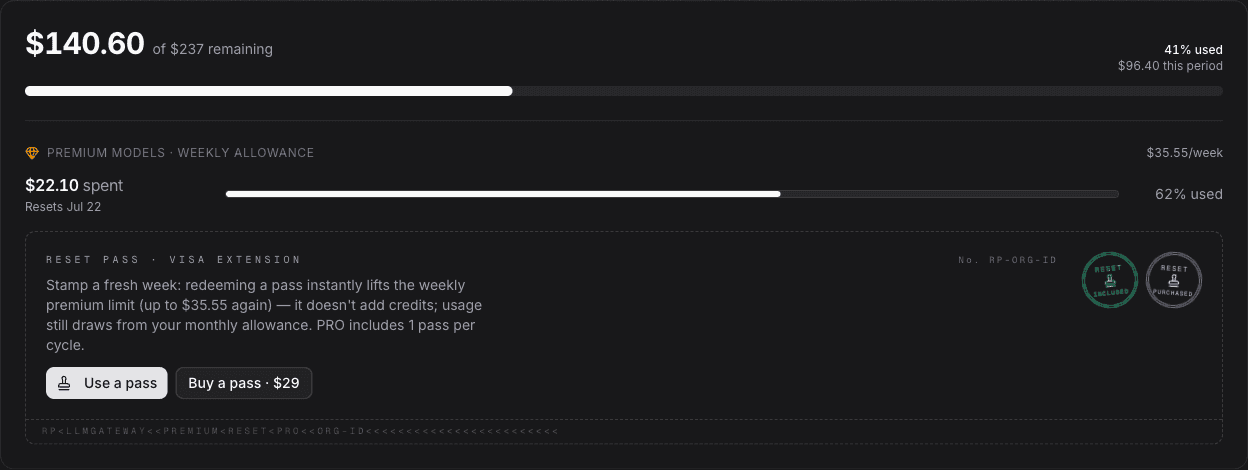
A Reset Pass removes the weekly limit — it does not add credits. Premium usage after a reset draws from your plan's monthly credit allowance exactly as before; the pass just lets you keep using premium models now instead of waiting for the window. With pay-as-you-go overflow enabled, premium usage past the cap bills your credits balance at provider rates instead — a pass is what brings that spend back inside the plan allowance you already paid for. And once the monthly allowance itself is exhausted, overflow is what keeps requests flowing, not a pass.
Reset Passes exist only on DevPass (Lite, Pro, Max). Pay-as-you-go API usage has no weekly premium cap, so there is nothing to reset.
Included and purchased passes
| Plan | Included per billing cycle | Extra passes |
|---|---|---|
| Lite | — | $5 each |
| Pro | — | $15 each |
| Max | 2 | $45 each |
Two kinds of stamps appear on the card:
- Included passes come with Max. They refresh every billing cycle, don't roll over, and are always consumed before purchased passes.
- Purchased passes are one-time purchases at the tier's price, bound to the tier they were bought for — a pass purchased on Pro is redeemable while you're on Pro. They never expire, so an unused pass applies again whenever you're back on that tier, even after a cancelled plan.
Redeeming a pass
Click Use a pass on the card. Your premium usage for the week is zeroed immediately and the 7-day window restarts with your next premium request. Redemption is deliberately explicit — a pass is never consumed automatically, and it is rejected while your allowance is untouched. Once you've used more than 90% of your monthly credit allowance, the dashboard also asks you to confirm: a reset restores the weekly cap, but only the remaining monthly allowance is available to spend. Once the monthly allowance is fully used, Reset Passes cannot be redeemed.
Standard models are unaffected either way: they never count against the weekly cap.
Renewal and the weekly window
Nothing about the weekly allowance carries over between billing cycles — every monthly renewal starts you completely fresh, all at once:
- The weekly premium allowance resets in full. Renewal zeroes your premium usage and starts a new 7-day window at the renewal moment, alongside the monthly credit reset. You never begin a cycle mid-window or with a partially used allowance.
- Included passes replenish. Max's 2 included passes are restored every cycle; unused ones don't roll over. Purchased passes are unaffected — they persist until redeemed.
An immediate tier upgrade restarts your billing cycle and performs the same full reset.
Between renewals the window is rolling, not on a fixed schedule. When a 7-day window ends, the next one starts with your next premium request — and a redeemed pass clears the window entirely, so your next premium request starts a fresh 7 days. There is no weekly reset schedule that redeeming late (or early) can shift into the next cycle.
In practice, a 30-day cycle of steady premium usage fits about five weekly windows (starting around days 0, 7, 14, 21, and 28) before any passes. On Max, whose weekly cap is 15% of the monthly allowance, those five windows plus the two included passes already unlock more than the entire monthly credit pool — so even spending exclusively on premium models needs no front-loaded pass redemptions or timing strategy. Redeem when you actually hit the cap. (The daily pacing allowance still applies; a pass resets the weekly window only.)
If you hit the cap from a coding agent, the gateway's 402 response points here:
{
	"error": {
		"message": "You've used your weekly allowance for premium-tier models on the pro plan. Redeem a Reset Pass from your dashboard for an instant reset, upgrade for a higher allowance, or use any standard model now. Resets in 6 days.",
		"type": "invalid_request_error",
		"code": "billing_error"
	}
}
Buying and billing
Buy a pass shows a confirmation dialog, then charges the payment method saved on your DevPass — no checkout redirect, no subscription change, no proration. Each purchase emails a PDF invoice and appears in the DevPass billing history alongside plan charges. Purchases are paused once you've used more than 95% of your monthly credit allowance — a pass would give you almost nothing to use at that point — and open up again when your credits renew.
An unused pass can be returned: for 7 days after purchase, a purchased pass that hasn't been redeemed can be self-refunded from the billing history. The refund goes back to your payment method, the pass is removed from your passport, and your DevPass plan itself is unaffected.


Reaching for a Reset Pass every week? Upgrading a tier is usually the better deal — the next tier raises the weekly cap itself and brings a larger monthly allowance. Compare on the DevPass pricing page.
How is this guide?
Last updated on