Pay-As-You-Go Overflow
Keep coding past your DevPass monthly allowance with an opt-in credits balance
Plan changes from October 15, 2026
DevPass subscription prices stay the same, but included usage decreases. Daily and premium weekly caps and Reset Pass benefits change on October 15; existing monthly allowances change at the first renewal on or after that date. New subscriptions from that date start with the new allowance. Review the dated plan-change notice before subscribing.
By default a DevPass plan is a hard cap: once the monthly allowance is fully used, requests are rejected until renewal. Pay-as-you-go overflow is an opt-in on the DevPass Usage page that keeps requests flowing past the allowance — extra usage bills a credits balance at provider rates, with the same API key and the same coding agents. The Usage page also carries the full allowance meters, the weekly premium allowance, Reset Passes, and the model usage chart.
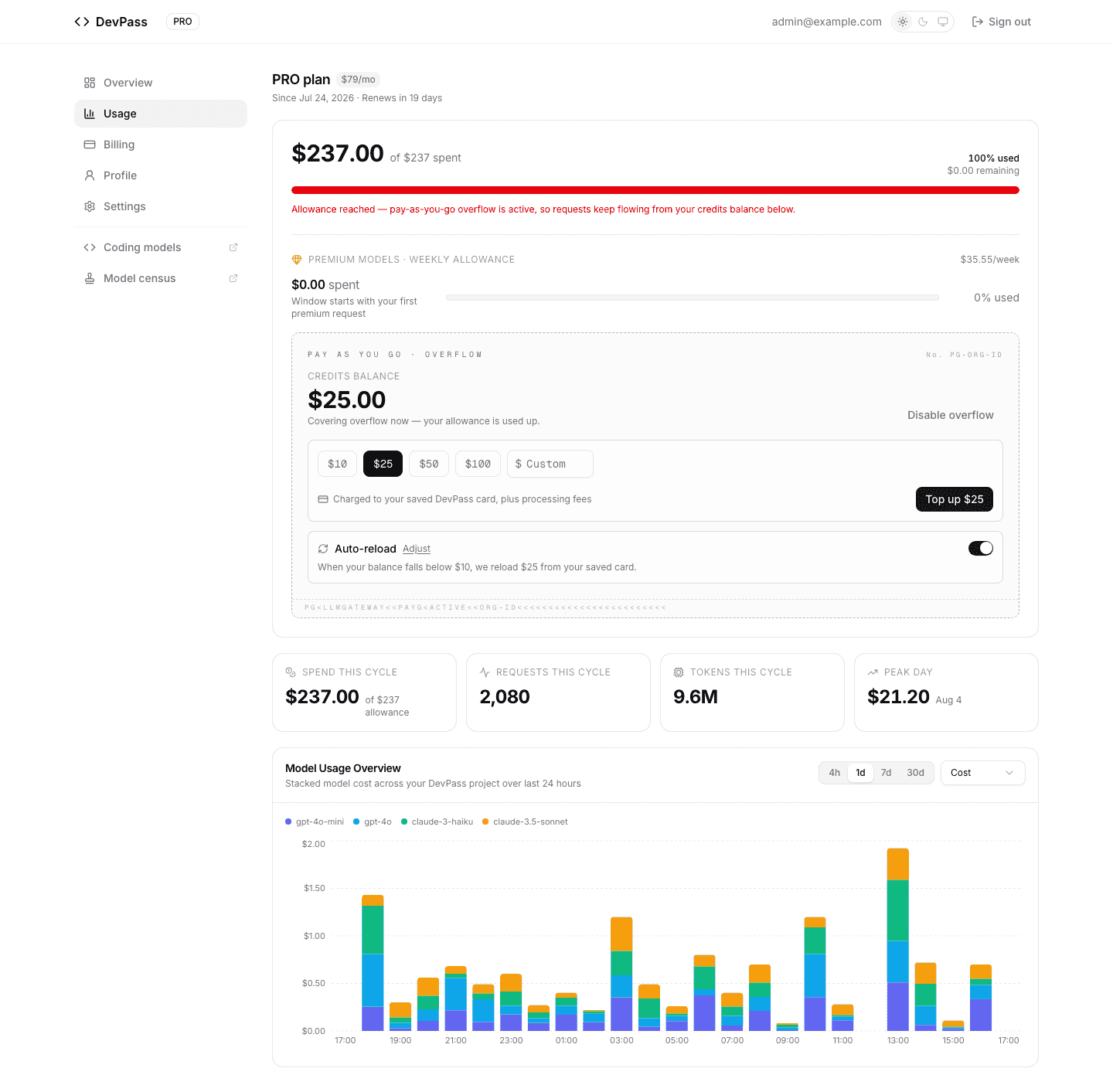
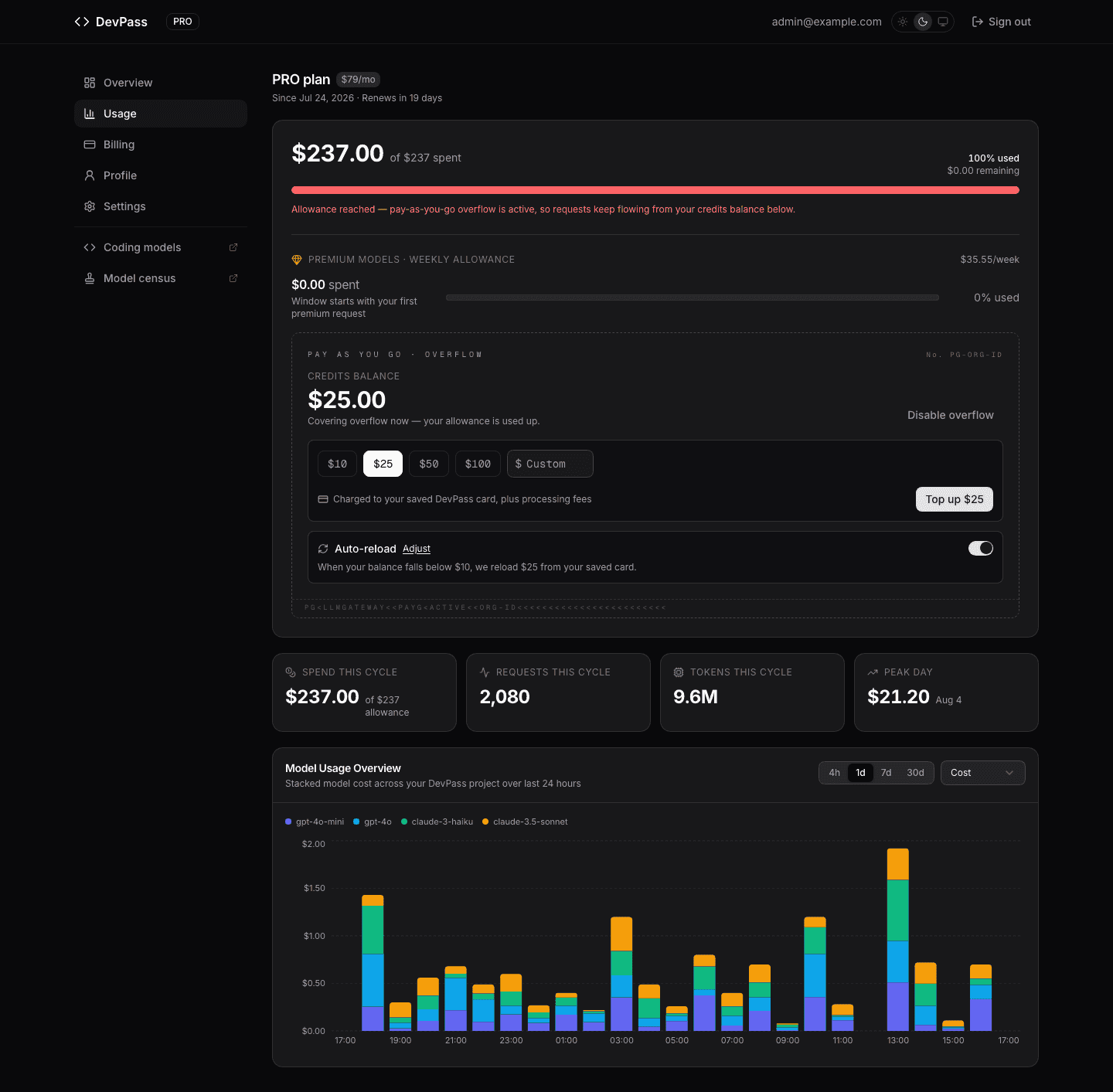
Overflow is off by default — until you enable it, nothing ever charges past your subscription price. It never touches your plan allowance either: credits cover only usage the plan itself wouldn't serve — spend past the monthly pool, and premium usage past the weekly cap.
When overflow applies
| Situation | Overflow off (default) | Overflow on |
|---|---|---|
| Within the monthly allowance | Plan credits | Plan credits |
| Monthly allowance exhausted | Requests rejected with 402 | Requests bill your credits balance |
| Weekly premium cap hit, allowance remaining | Reset Pass or wait | Premium models bill your balance |
| Weekly premium cap hit, allowance exhausted | Requests rejected with 402 | Premium models bill your balance |
| Credits balance empty | — | Requests rejected with 402 |
The weekly premium fair-use cap limits what the plan allowance pays for, not what your own balance can: with overflow on and a positive balance, premium requests past the cap keep flowing and bill your credits at provider rates, while standard models keep drawing from the monthly allowance as usual. A Reset Pass is still the way to keep that premium spend inside your already-paid plan allowance instead of on the balance. Once the monthly pool itself is gone, overflow covers everything.
If the allowance runs out with overflow off (or with an empty balance), the gateway's 402 says what to do:
{
	"error": {
		"message": "Dev Plan credit limit reached. Upgrade your plan or wait for renewal on 8/24/2026. Or enable pay-as-you-go overflow in your DevPass dashboard to keep going past your allowance.",
		"type": "invalid_request_error",
		"code": "billing_error"
	}
}
Topping up
Enable overflow on the Usage page, pick a preset ($10, $25, $50, $100) or a custom amount between $10 and $5,000, and Top up — the charge goes to the card already backing your DevPass subscription, with no checkout redirect. Usage itself is metered at provider rates with no markup on tokens; a 5% platform fee applies when you buy credits (plus 1.5% for international cards). Each top-up emails a PDF invoice and appears in your billing history.
Top-ups are idempotent end to end: a double-click or a retried request reuses the same charge instead of creating a second one.
Auto-reload
Turn on Auto-reload and the balance refills itself: when it falls below your threshold ($5–$1,000), your reload amount ($10–$5,000) is charged to the saved card automatically.
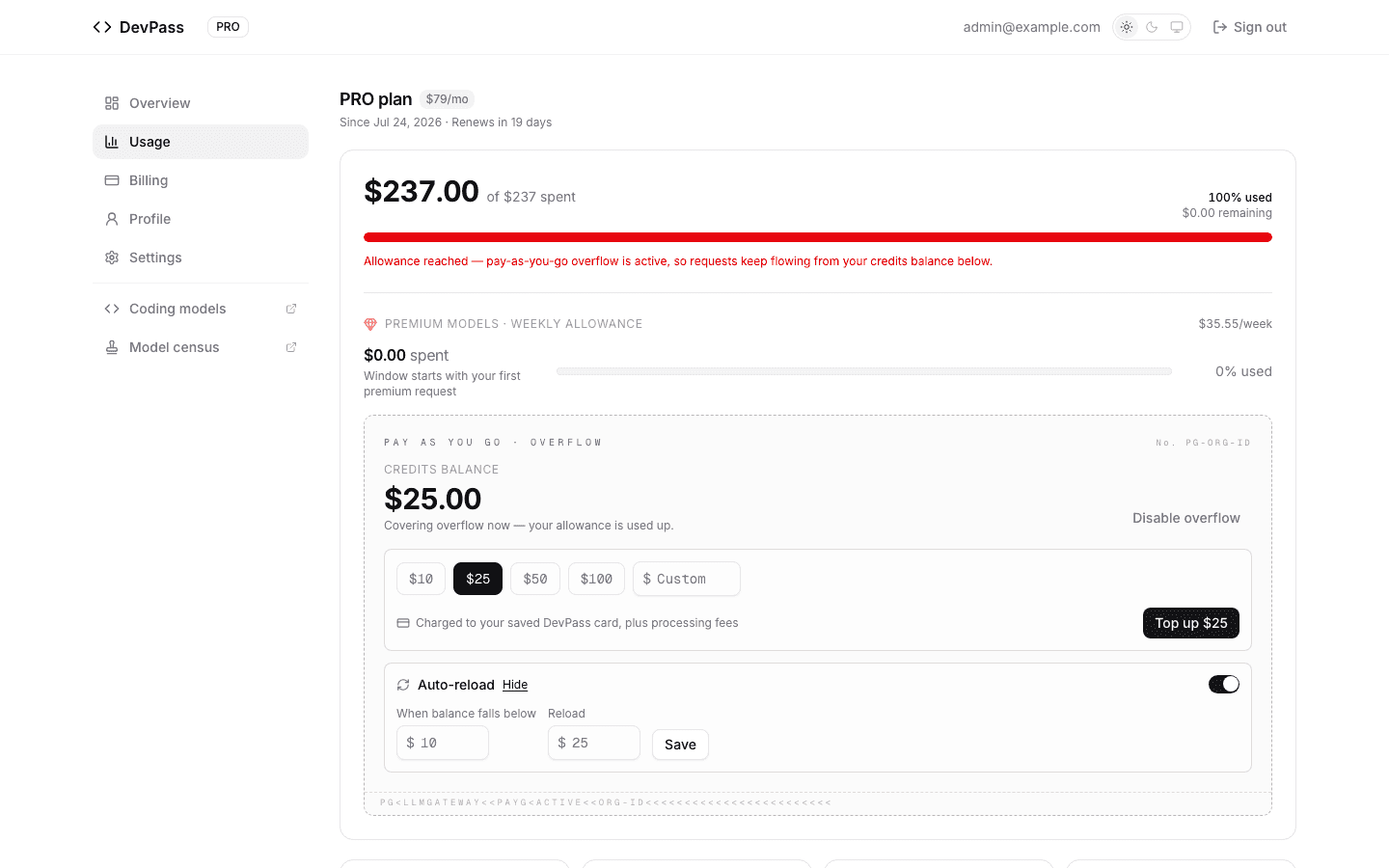
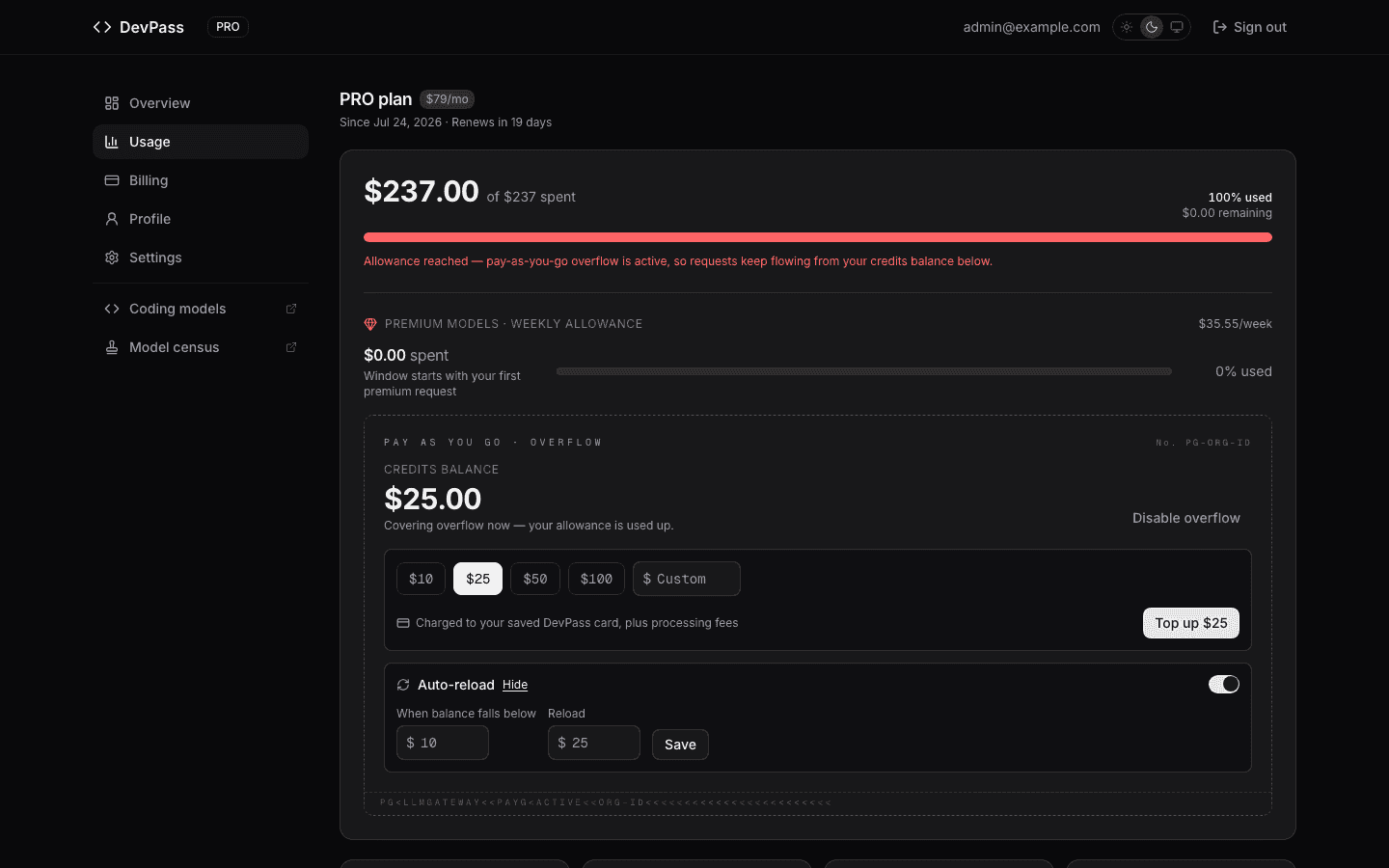
Guardrails worth knowing:
- Disabling overflow always disables auto-reload — you can never buy credits you cannot spend.
- Failed auto-reload charges back off exponentially (1h doubling up to 24h), and auto-reload switches itself off after 7 days of continuous payment failures.
Overflow is available on every DevPass tier. If you find yourself covering a lot of usage from the balance every cycle, a tier upgrade is usually the better deal: plan allowances turn every subscription dollar into $2 of usage, while overflow bills at cost. Compare on the DevPass pricing page.
How is this guide?
Last updated on