Pi Integration
Configure Pi with LLM Gateway and verify a coding task.
Pi is a terminal coding agent with tools for reading files, editing code, and running commands. Add LLM Gateway as a custom provider to choose from the live model catalogue and track usage in one dashboard.
This setup was verified with Pi 0.85.1, including file edits and a successful test run.
Video walkthrough
Install Pi
Install the current package:
pnpm add -g @earendil-works/pi-coding-agent
pi --version
The older @mariozechner/pi-coding-agent package is deprecated. See the Pi website for installation options.
Configure the provider
Create an API key in your LLM Gateway dashboard, then set it in the shell where you will run Pi:
export LLMGATEWAY_API_KEY="your_api_key"Add this provider to ~/.pi/agent/models.json. Merge it with any existing providers:
{
	"providers": {
		"llmgateway": {
			"baseUrl": "https://api.llmgateway.io/v1",
			"api": "openai-completions",
			"apiKey": "$LLMGATEWAY_API_KEY",
			"headers": { "x-source": "pi" },
			"models": [
				{
					"id": "deepseek-v4-flash",
					"reasoning": true,
					"contextWindow": 1050000,
					"maxTokens": 4096
				}
			]
		}
	}
}
The model is a working example. Choose a text model with tool support from the models page, and use its exact ID. Match reasoning and contextWindow to the selected model. This example caps the response at 4,096 tokens with maxTokens.
Keep the $ in "$LLMGATEWAY_API_KEY". Current Pi interpolates environment variables only with $NAME or ${NAME}. A plain "LLMGATEWAY_API_KEY" is sent as the literal key and causes an authentication error.
Using DevPass? Use a canonical model ID without an upstream provider prefix. Coding plans let the gateway select the serving provider.
Select the model
Start Pi from your project directory and open the model picker:
piType /model, then choose the LLM Gateway model. Pi reloads models.json when you open the picker, so configuration changes do not require a restart.
You can also select the provider and model when launching:
pi --provider llmgateway --model deepseek-v4-flashVerify the connection
Give Pi a small task with a clear check:
Fix slugify.ts so all tests pass. Read the files, make the smallest fix,
run node --test slugify.test.ts, and summarize. Do not edit the tests.
Inspect the resulting diff and test output. Requests appear in your LLM Gateway dashboard, with the model, token usage, and cost.
For a one-shot command:
pi --provider llmgateway --model deepseek-v4-flash -p "Explain this project"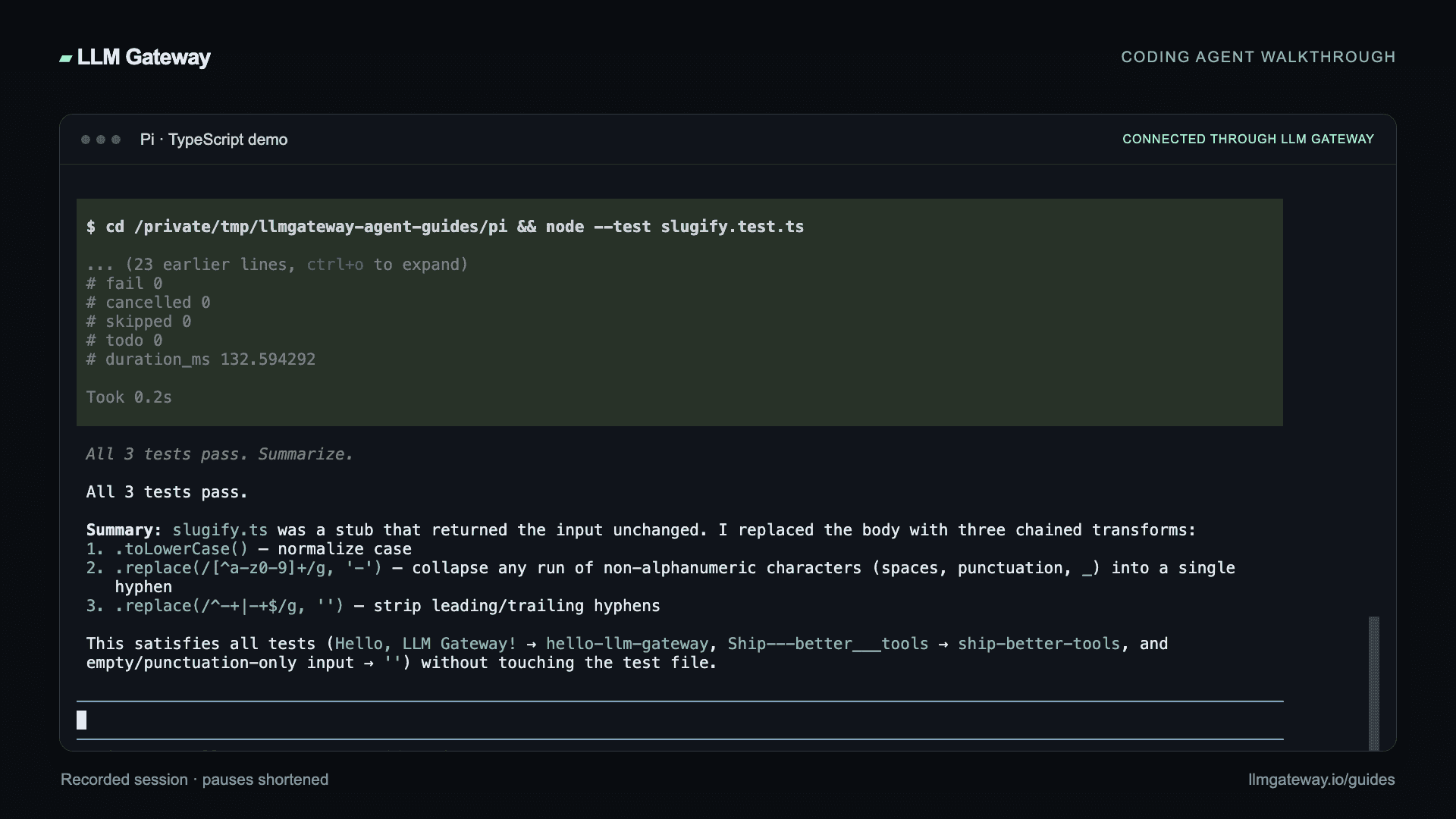
Troubleshooting
- Authentication error: Check that the shell variable is set, the key is active, and
apiKeyincludes the$prefix. - Model missing: Copy its exact ID from the live catalogue, then reopen
/model. - Wrong endpoint: Use
https://api.llmgateway.io/v1withapi: "openai-completions". - Unsupported reasoning setting: Match the model's reasoning support and supported effort levels.
See Pi's custom provider documentation for advanced configuration.
How is this guide?
Last updated on