Dashboard
Your central hub for monitoring LLM usage, costs, and performance
The Dashboard is the first page you see after logging in. It provides a high-level overview of your project's LLM usage, costs, and performance at a glance.
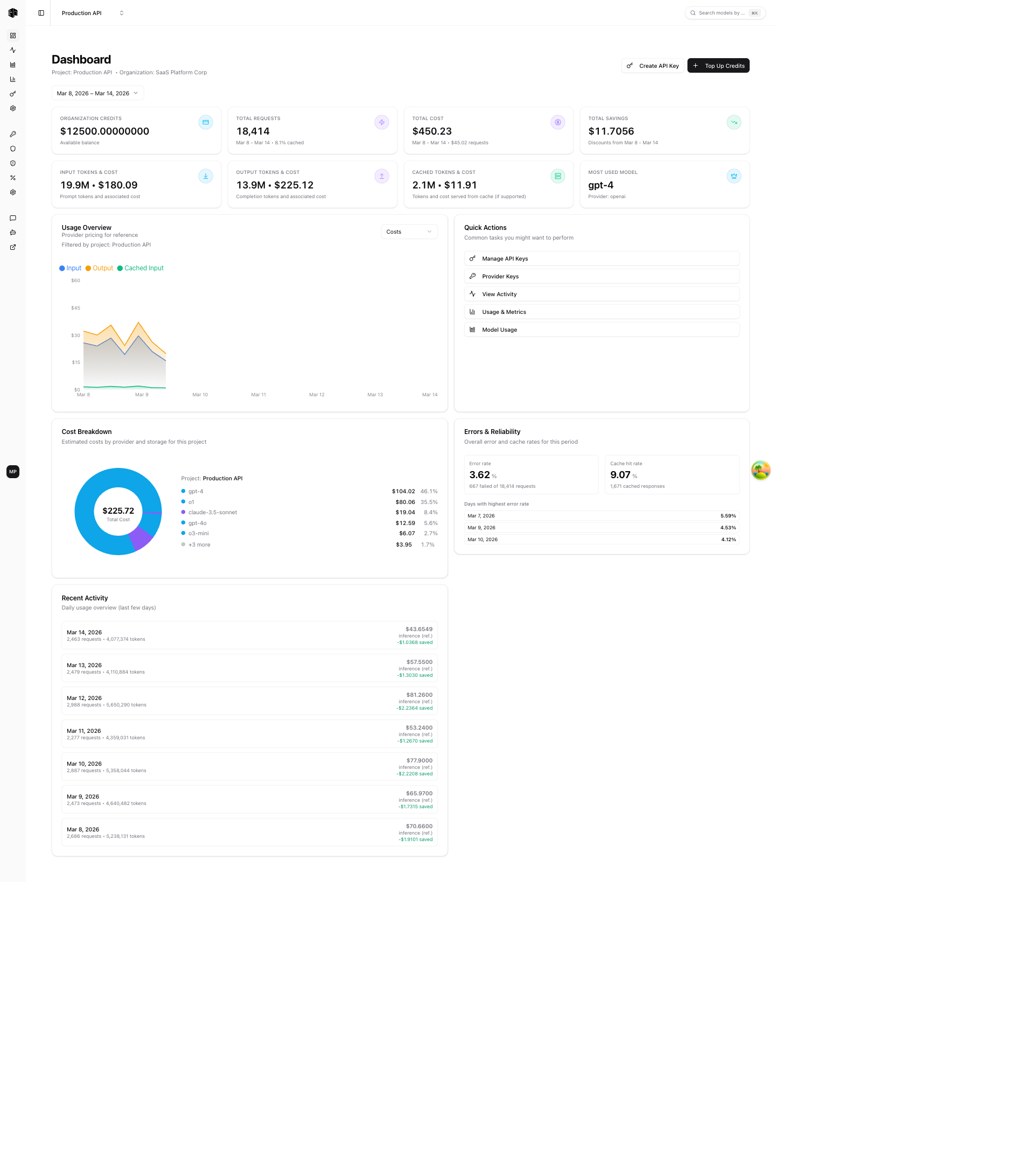
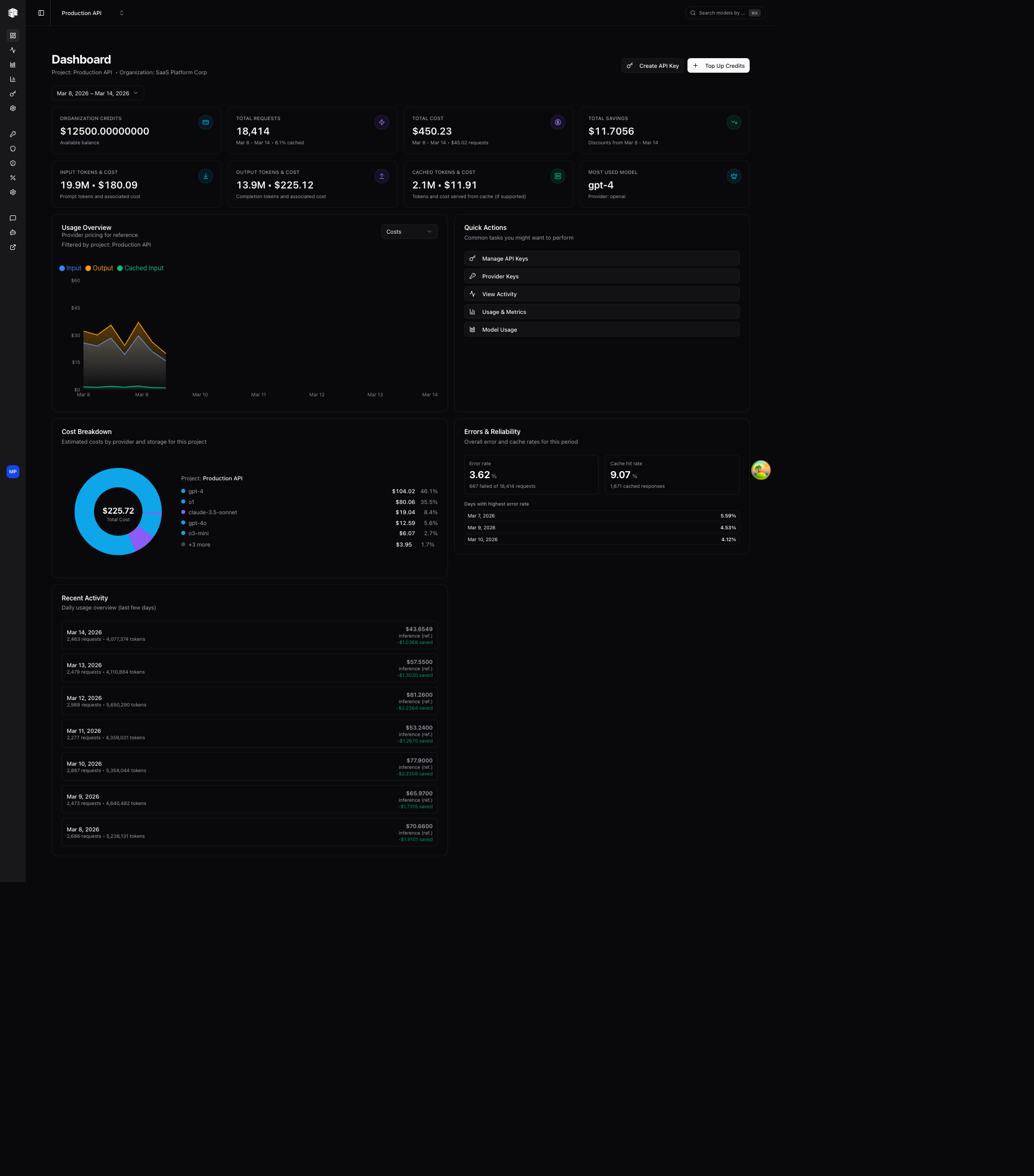
Date Range
At the top of the page, you can toggle the date range for all dashboard metrics:
- 7 days — Last 7 days of data (default)
- 30 days — Last 30 days of data
- Custom — Pick a custom start and end date
Display time zone
Timestamps and chart buckets follow the display time zone set under Settings → Account: either your local zone or UTC. The preference drives both how a datetime renders and the bucketing the analytics endpoints do, so a chart's bars and its axis labels always agree. It is stored in a browser cookie rather than your profile, so the server renders the correct zone on first paint, and the DevPass dashboard reads the same preference from its own Settings page.
Stat Cards
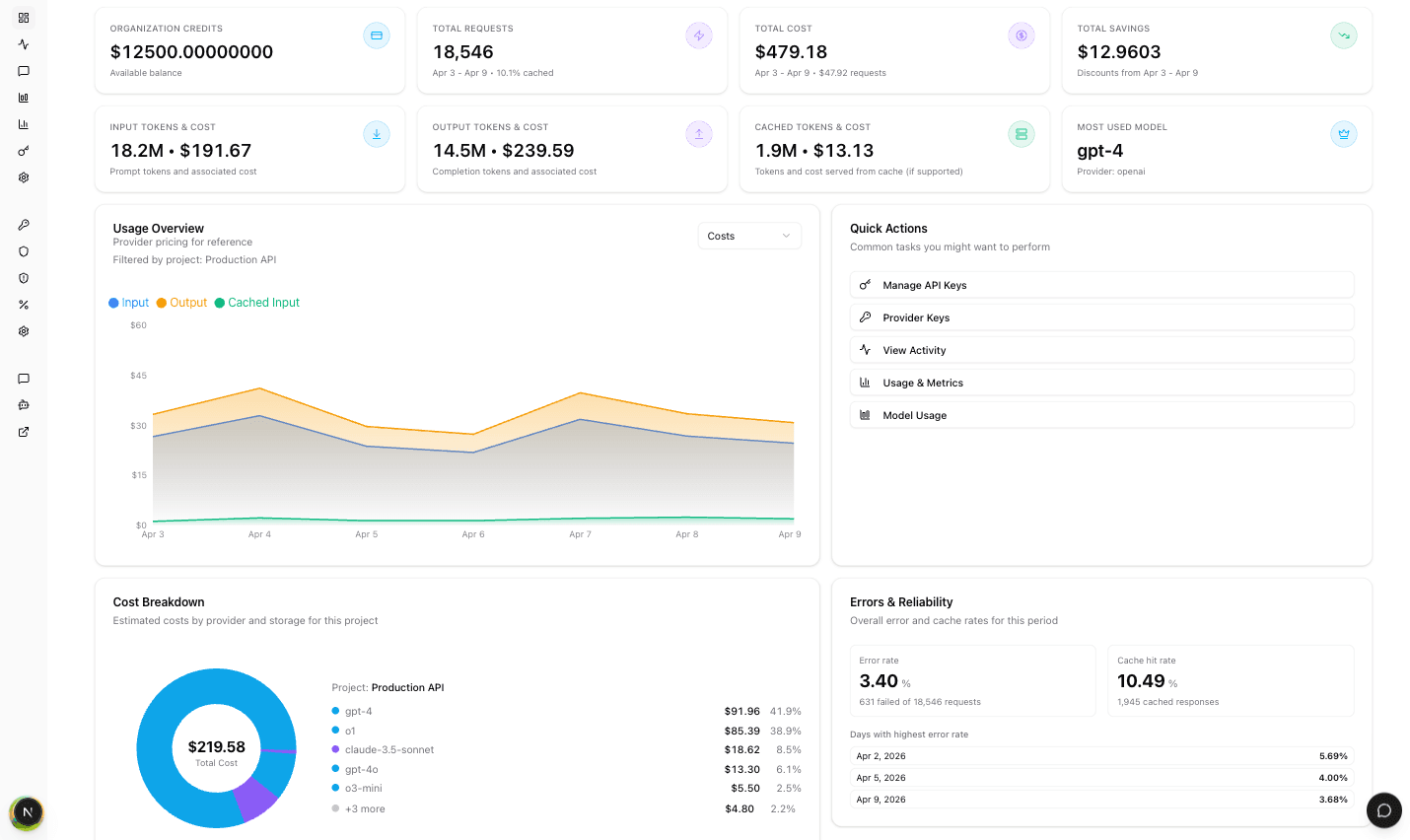
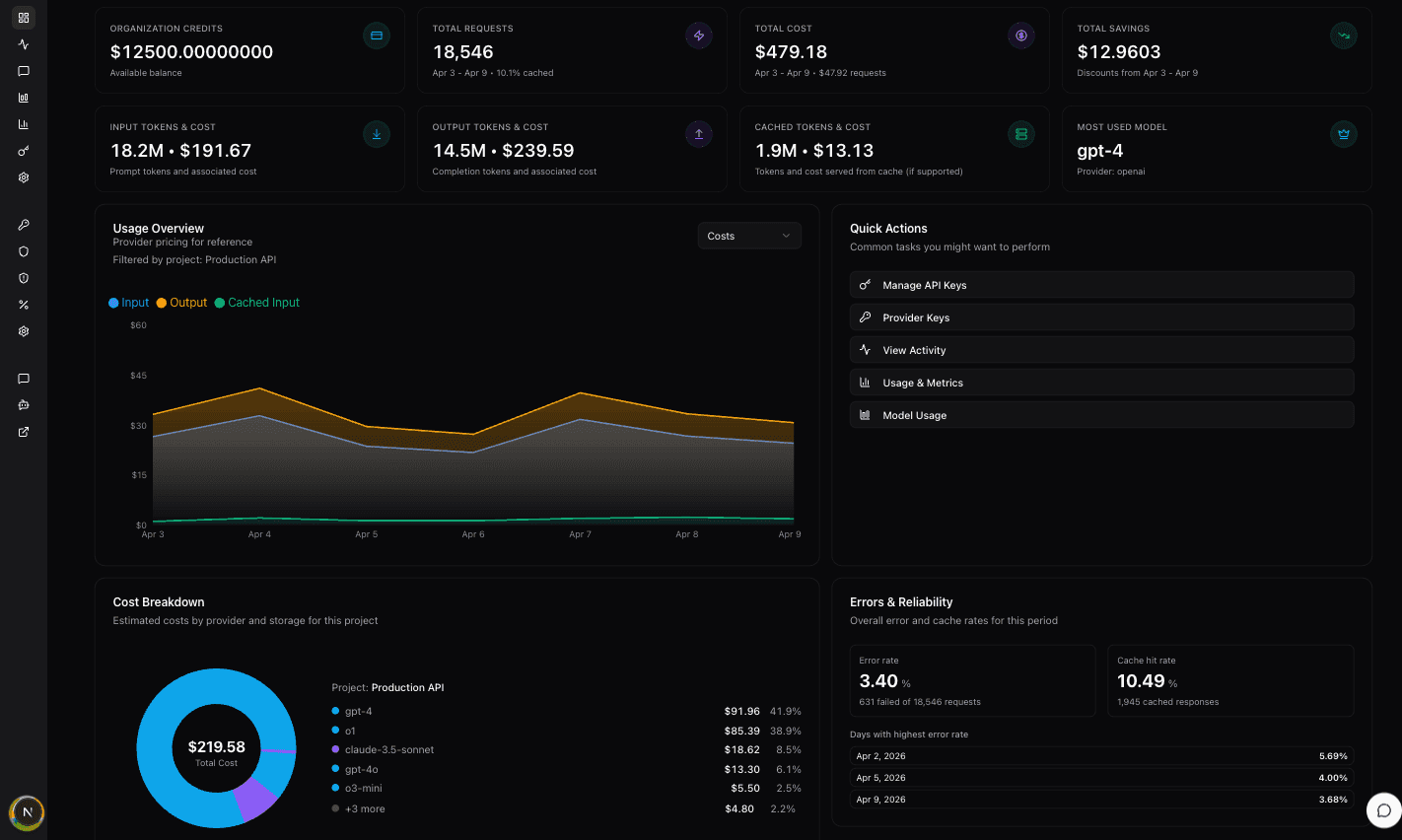
The dashboard displays metric cards in two rows. Organization credits and top-up actions are visible only to organization owners and admins.
Across the main and DevPass dashboards, full request and token counts use commas every three digits. Compact summaries and chart axes use k, M, B, or T for thousands through trillions, independent of browser locale.
Top Row
| Card | Description |
|---|---|
| Organization Credits | Your current available credit balance |
| Total Requests | Number of API requests in the selected period, with cache hit percentage |
| Total Cost | Total inference cost for the period, including storage costs |
| Total Savings | Savings from discounts during the selected period |
Bottom Row
| Card | Description |
|---|---|
| Input Tokens & Cost | Total prompt tokens sent and their associated cost |
| Output Tokens & Cost | Total completion tokens received and their associated cost |
| Cached Tokens & Cost | Tokens served from cache (if caching is enabled) and the cost saved |
| Most Used Model | The model with the highest request count, along with its provider |
Usage Overview Chart
Below the stat cards, a chart visualizes your usage over time:
- Costs — Choose Total for daily cost bars or Breakdown to split input, output, and cached input costs.
- Requests — Shows request volume over time.
The chart is filtered by the currently selected project.
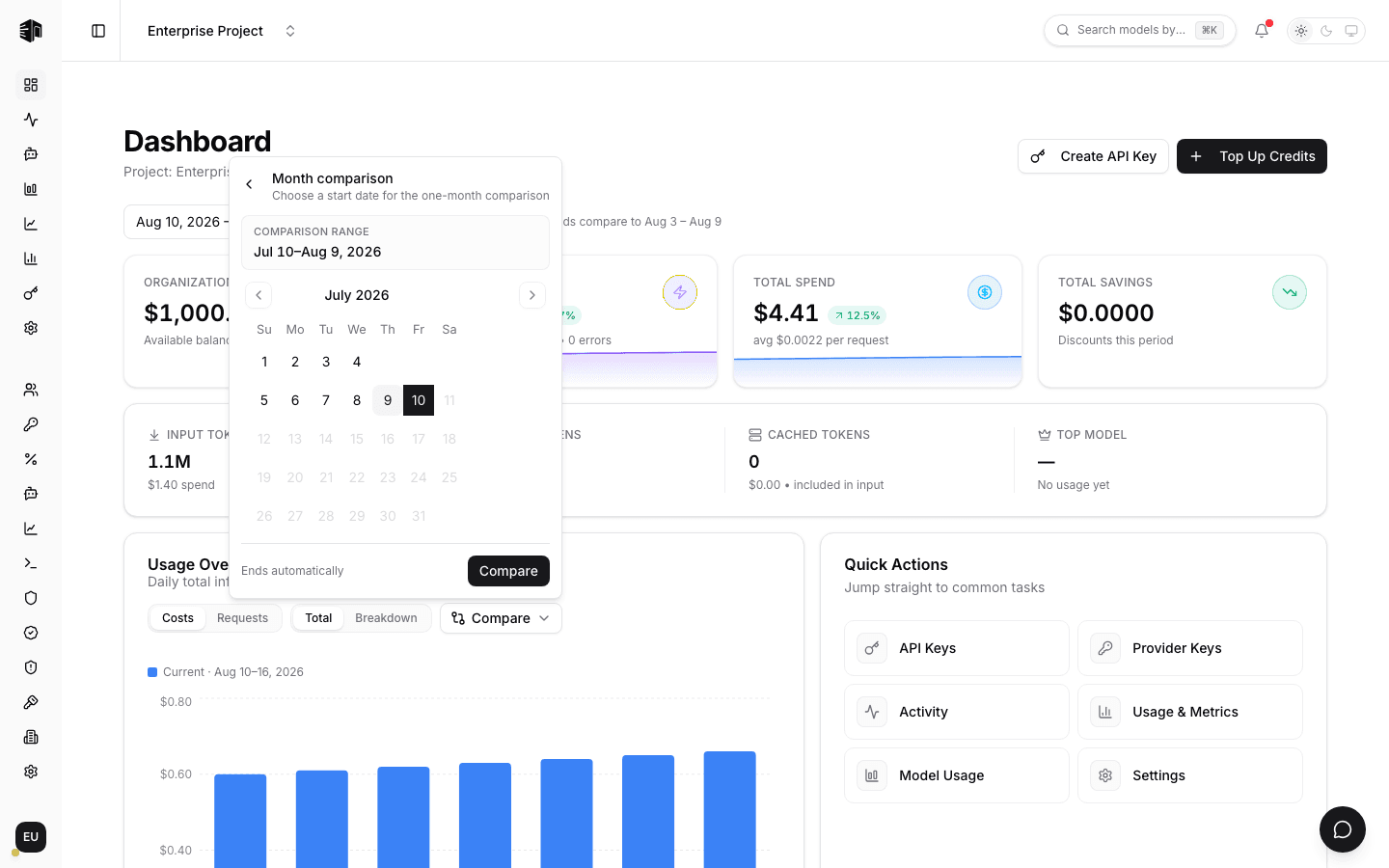
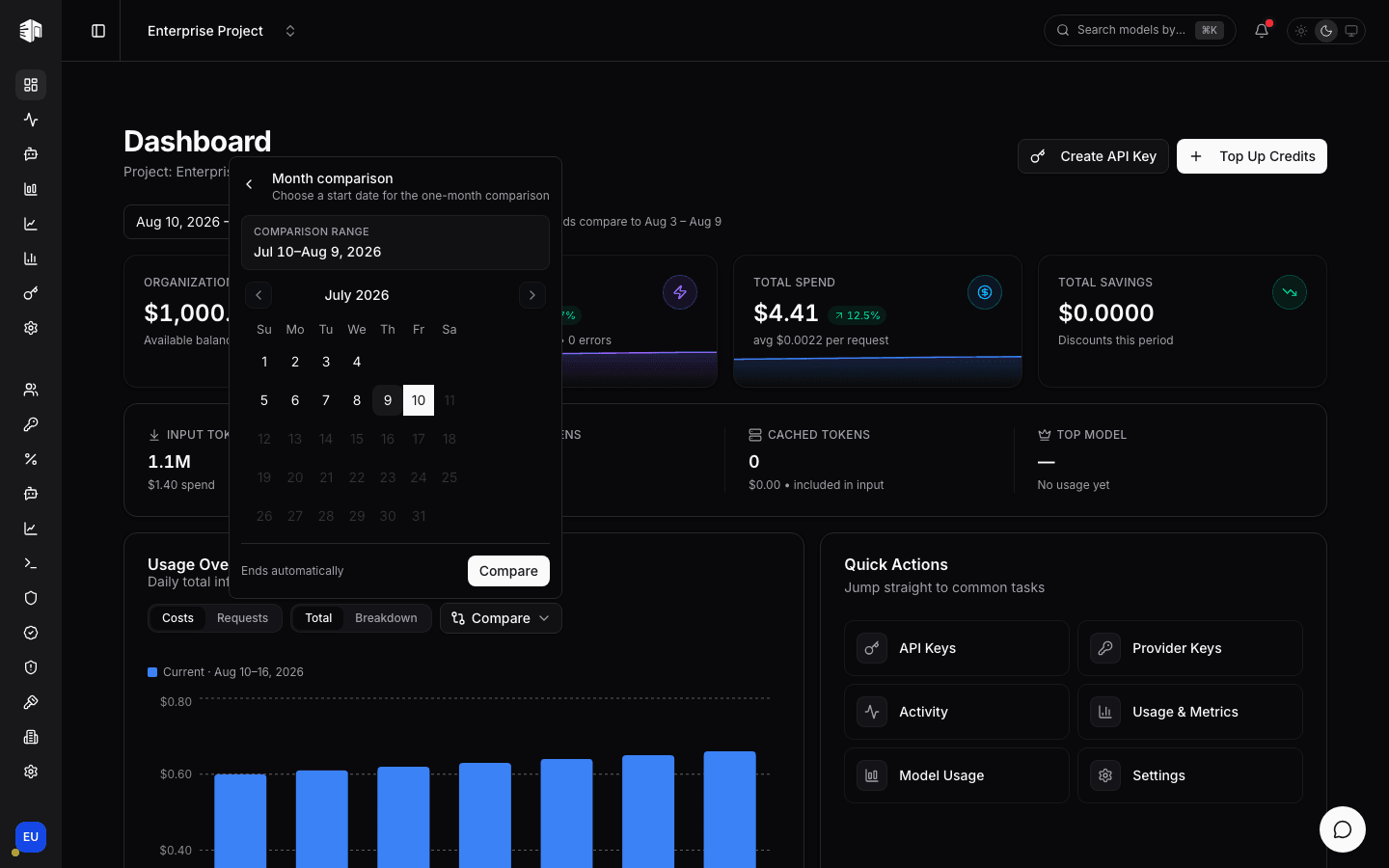
Compare periods
Choose Compare to compare another date range by elapsed day:
- Previous period uses the same number of days immediately before the active range.
- Week over week uses seven days starting on the date you choose.
- Month over month uses one calendar month starting on the date you choose. August 1 runs through August 31; February 1 runs through February 28, or February 29 in a leap year.
- Custom range lets you choose both comparison dates.
Week and month comparisons always end before the active range begins. Their duration is independent of the main date filter, so a month comparison still shows the full month when the dashboard displays seven days. The chart includes every day in the longer range and leaves the shorter series blank after it ends. Comparison is unavailable for all-time ranges.
Quick Actions
A sidebar panel provides shortcuts to common tasks:
- Manage API Keys — Go to the API Keys page
- Provider Keys — Configure your own provider keys (organization owners and admins)
- View Activity — See detailed request logs
- Usage & Metrics — Dive into usage analytics
- Model Usage — View per-model usage breakdown
Cost Breakdown
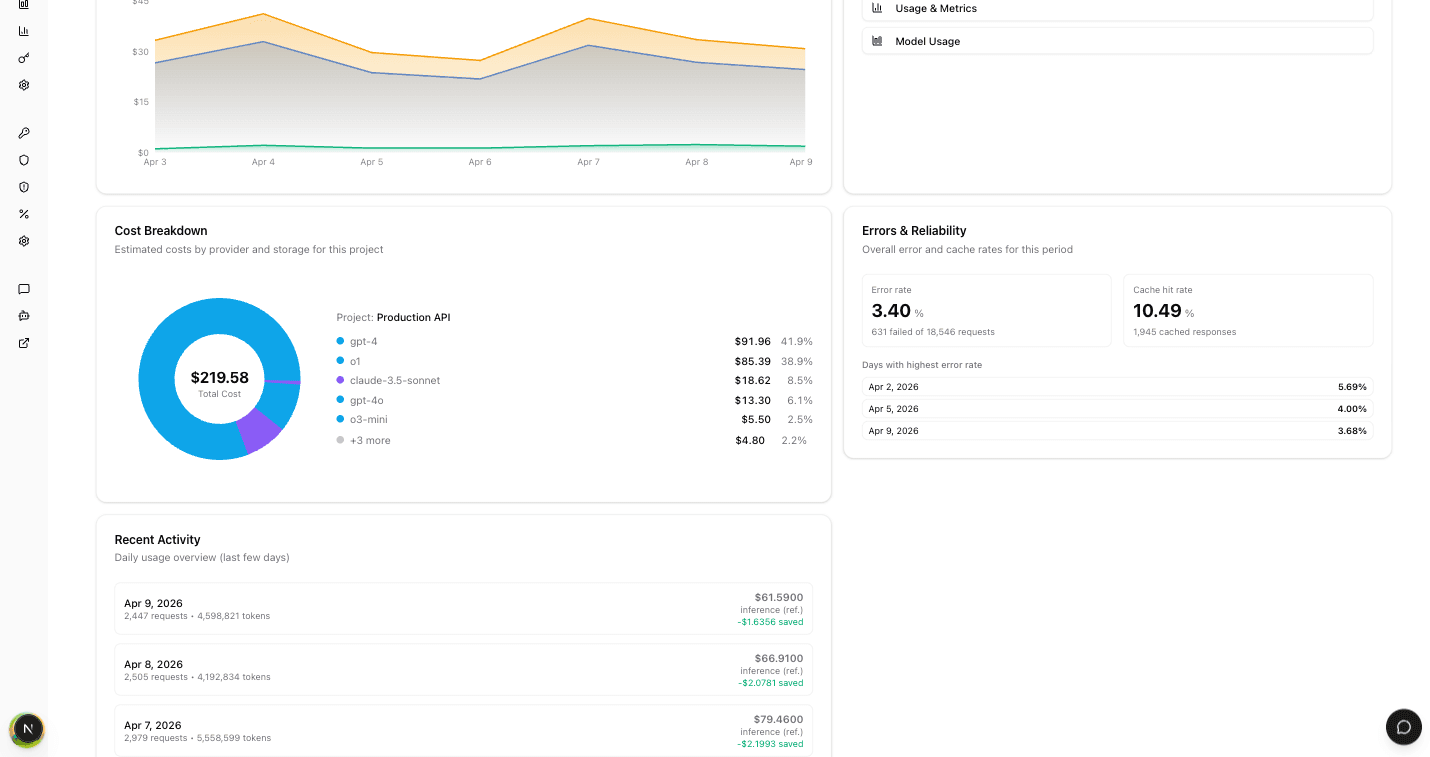
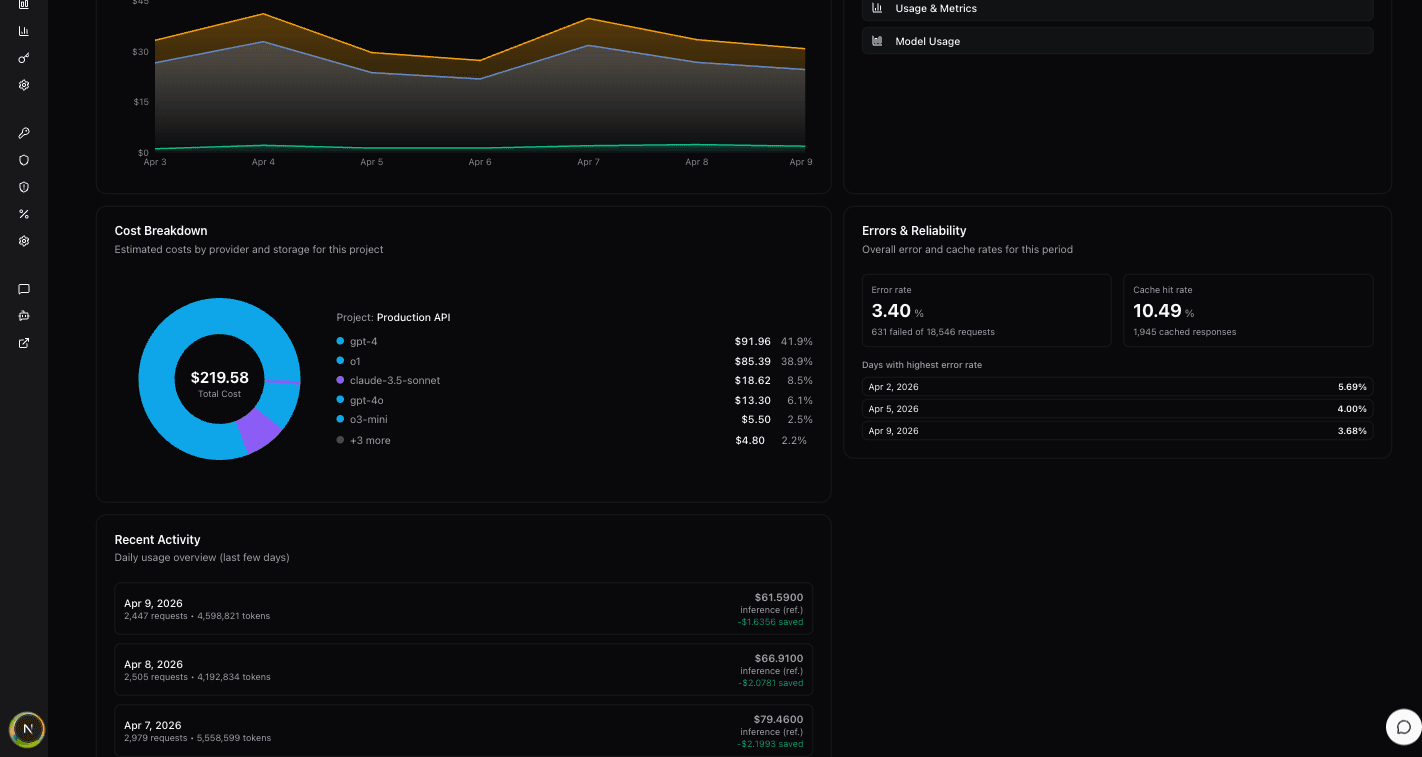
A donut chart showing how your costs are distributed across different models and providers. Each segment is color-coded and labeled with the model name and cost, making it easy to identify your biggest cost drivers.
Errors & Reliability
Displays two key reliability metrics:
- Error Rate — Percentage of failed requests over the selected period
- Uptime — Gateway availability percentage
Recent Activity
A table showing your most recent API requests with key details like model, status, tokens, duration, and cost. Click any entry to view the full request detail.
Header Actions
The top-right corner provides these actions:
- Create API Key — Quickly create a new API key for your project
- Top Up Credits — Add credits to your organization balance (organization owners and admins)
How is this guide?
Last updated on