Lounge Chat
Chat with any LLM interactively in Lounge, the LLM Gateway chat app
Lounge is a standalone chat app for talking to any LLM through a conversational interface. You can select any supported model, adjust parameters, and see responses in real time.
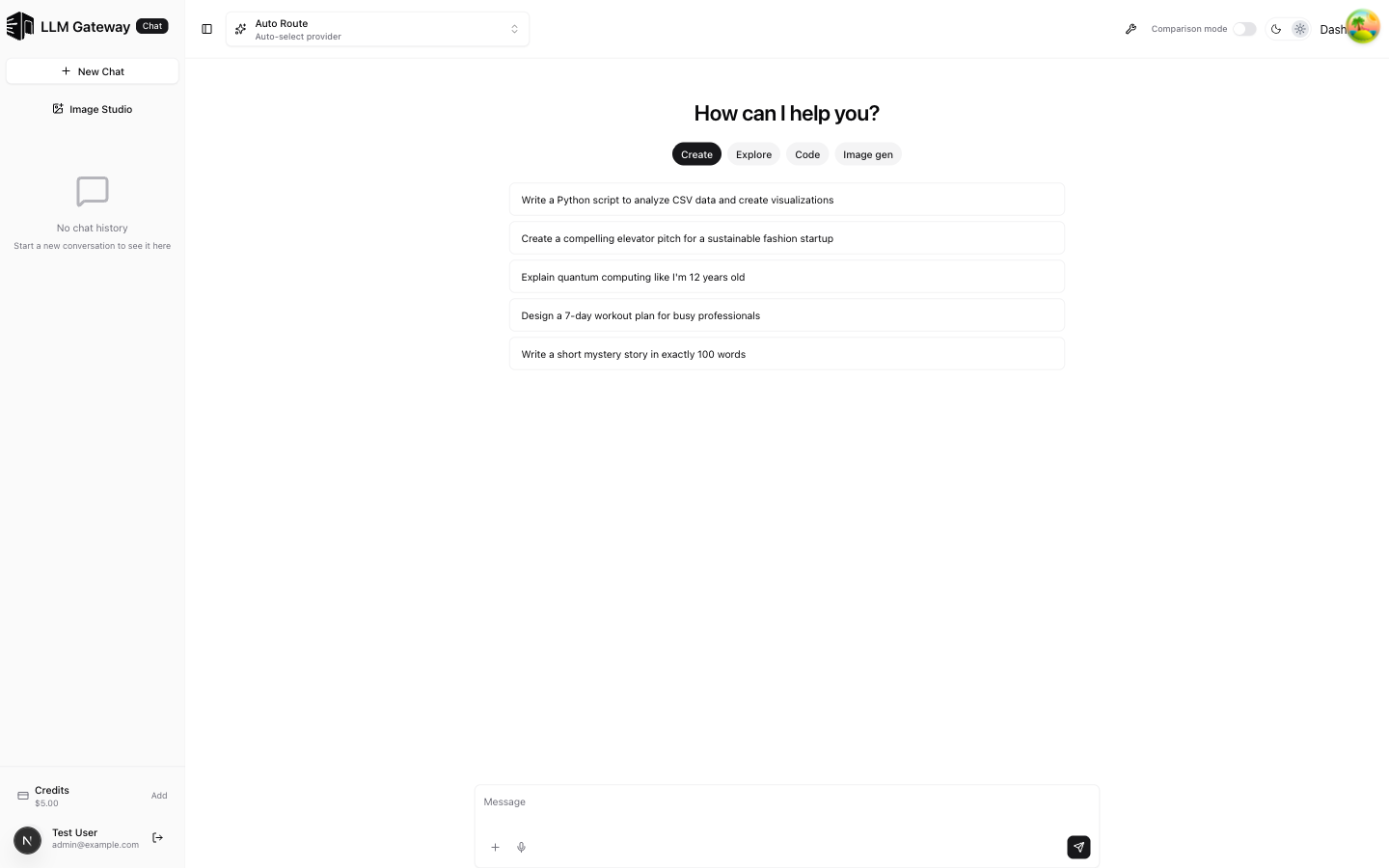
Model Selection
Use the dropdown at the top to pick a model and provider. The Auto Route option automatically selects the best provider based on availability and cost.
Chat Interface
- Type your message in the input field at the bottom
- Click the send button or press Enter to submit
- Responses stream in real time
- Previous conversations appear in the sidebar
Prompt Suggestions
When starting a new chat, category tabs help you pick a prompt:
- Create — Content generation prompts
- Explore — Research and analysis prompts
- Code — Programming and development prompts
- Image gen — Image generation prompts
Sidebar
The left sidebar shows your chat history. Click + New Chat to start a fresh conversation, or select a previous chat to continue it.
Comparison Mode
Toggle Comparison mode in the top-right to send the same prompt to multiple models side by side. See the Group Chat page for details.
Image Studio
Click Image Studio in the sidebar to switch to the image generation interface. See the Image Studio page for details.
Project knowledge
Projects combine instructions, reference files, and memories for related conversations. File indexing, retrieval, and memory learning use the supplied workspace gateway key; requests without one use your personal Lounge workspace.
Sandbox Escape
Choose a level and a model to play the grid-based Escape game. Each step makes one model request, billed to the selected workspace. Escape uses low reasoning effort when the selected model and provider support it. Collect the key fragments and reach the exit while avoiding the daemons. You can run continuously, pause, step once, or reset; completed runs have shareable replays and contribute to the model leaderboard.
Authenticated clients can call POST /escape/move on the account API with projectId, levelId, moves, and model. The API checks project access, reconstructs the board from the move history, and returns the next state and usage. It rejects finished runs and does not automatically retry model requests. An unparseable model reply consumes a wait turn. Save completed runs with POST /escape/runs; GET /escape/runs lists your saved runs with optional organizationId, limit, and offset filters.
iOS app development
The native iOS client lives in apps/mobile in the repository and is under development. It uses the same LLM Gateway account and Lounge data. Membership purchases and billing stay on the Lounge website.
Sign in with your LLM Gateway email and password, or create an account and verify your email before returning to sign in. Forgot password? emails a link to the account website, where you can choose a new password. To permanently delete your account across LLM Gateway products, open Your profile → Delete account, review the affected workspaces, and confirm deletion.
Choose Sign in with browser to use the website's passkey, social sign-in, or SSO options. Note the code shown in the app, choose Continue in browser, and approve only if the website shows the same code. The app returns automatically after approval and saves its separate session in iOS Keychain. Cancelling or denying the request leaves the app signed out; choose Get a new code to start again.
If you need an account, choose Sign up in the browser. Email verification returns to the device approval page. If you verify in a different browser, sign in in the app's browser to finish approval. Get a new code in the app if the original expires while you create your account.
Use Switch workspace to choose where conversations and usage belong. The home screen shows the selected workspace, and the app restores that workspace and its project after restart. If access changes or restoration fails, retry or explicitly choose another workspace before continuing. Signing out clears the device's saved selection.
Conversations support Markdown, reasoning, attachments, copying, editing, retries, and forking. Chat settings include system instructions, temperature, output limits, reasoning effort, and web search where supported by the model. Settings stay on the device until sign-out. Temporary conversations stay out of Lounge history; normal gateway usage and organization retention settings still apply.
The model picker supports favorites and provider selection. Choosing a provider pins requests to that provider without fallback; choosing the model itself or Auto keeps automatic provider routing. Favorites sync with your account. The model and provider lists scroll with their headings, so choices remain reachable at larger iOS text sizes. At larger text sizes or in a short window, conversation controls also scroll above the messages. Composer buttons wrap to fit the available width.
Web search sources appear below the response and remain available in saved history. Share a conversation snapshot publicly or with your workspace, choose whether readers can fork it, and revoke its link later. Shared conversations lets you browse workspace snapshots or open a pasted Lounge share link.
Model comparisons send the same prompt and attachments to up to three models, with separate saved conversations for each. Switch between model tabs, retry one response, stop all models, or open a panel as a normal conversation. If saving a response fails, retry saving it without generating it again. Connected apps are available to Model 1 with explicit approval; see Lounge connectors for approval and recovery behavior.
Group discussions let two to five models take five turns debating a topic. Stop and continue the discussion or share its transcript. Group discussions stay on the open screen and are not added to conversation history.
The iOS Image Studio supports reference-image edits, model comparison, model-specific size and quality settings, and synchronized history. Save images to Files or share them through the iOS share sheet. If saving history fails, the generated images remain available and you can retry saving without generating them again.
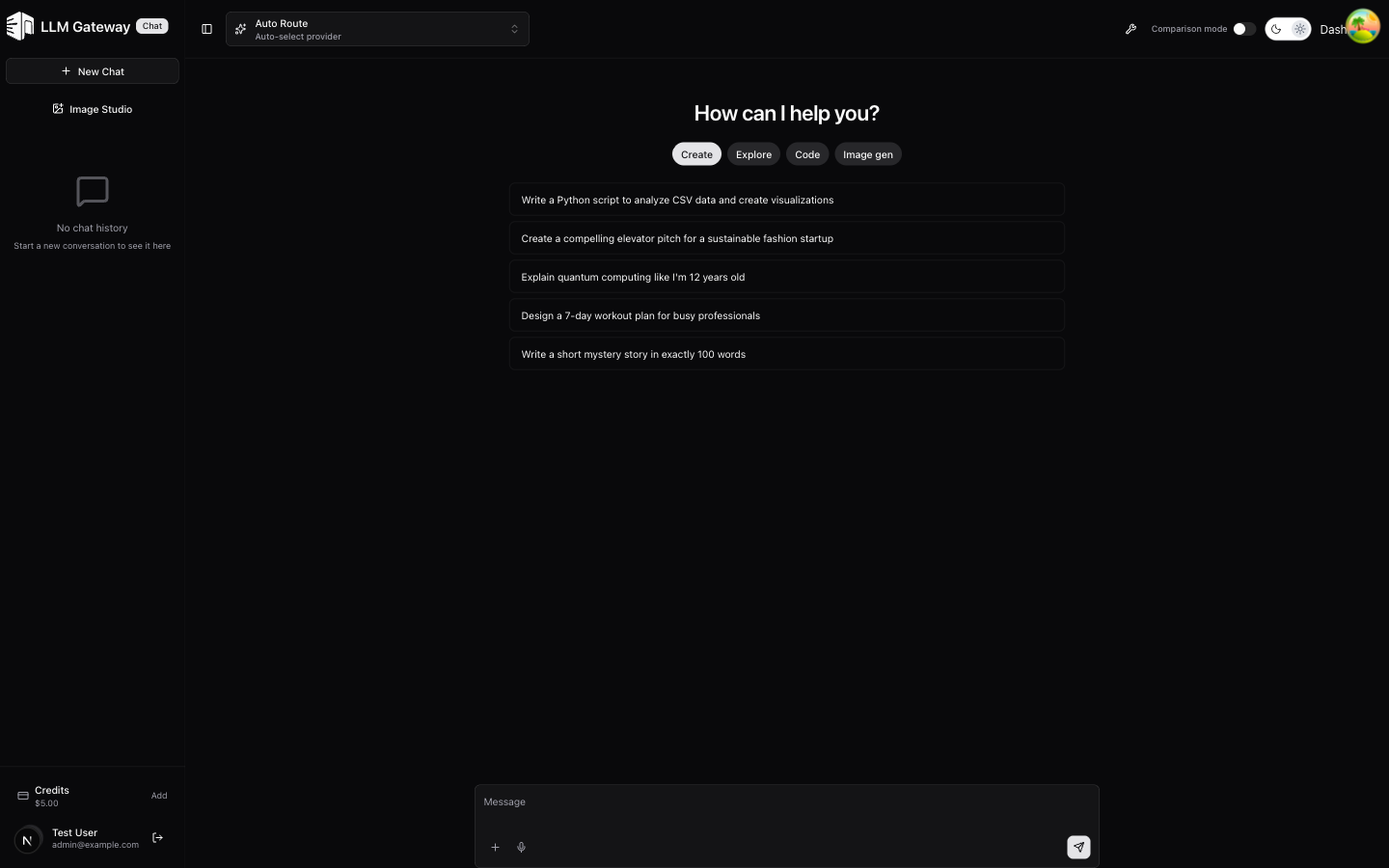
Choose System, Light, or Dark in the iOS profile's Appearance controls or on the sign-in screen. System follows the device setting. The preference is saved on the device and stays after sign-out. Changing appearance preserves open conversations and interactive Canvas state.
In Your profile, track your level progress, activity points, daily earnings, and streaks. Choose a public username and join the member leaderboard to share your name, picture, level, and points; your conversations stay private. You can hide your picture or make your profile private again. View leaderboard shows the top 100 public members. Your global points rank also includes private members.
In Sandbox Escape, choose a level and model, then run continuously or take one step at a time. Leaving the screen or backgrounding the app pauses the run after its current turn. Completed runs are saved to your workspace; retry a failed save before starting a new run. Browse saved runs, open a shared replay link, scrub through the board without model calls, and view rankings across all levels or one level. Your Escape model choice stays on the device until sign-out.
In Canvas, describe an interface or start from a template. Choose a model, interact with the generated preview, or edit and apply its JSON. Stopping generation keeps the latest rendered preview. Export a PNG or PDF to Files or the iOS share sheet before leaving; canvases are not saved to conversation history. Your selected Canvas model stays on the device until sign-out.
Its conversation history searches titles and message text within your selected workspace. Active and archived conversations have separate views, and you can load more results for longer histories. Archiving hides a conversation from the active list; restoring brings it back. Deleting a conversation is permanent.
Projects in the iOS app keep instructions, knowledge files, memories, and related conversations together. Upload PDF, XLSX, text, Markdown, or source-code files in Projects. Starting a project conversation retrieves relevant file excerpts alongside its instructions and memories. Successful saved replies can add durable memories automatically; temporary conversations and interrupted replies do not. You can add, edit, and delete memories yourself. Deleting a project removes its files and memories while keeping its conversations without project context.
In Skills, create reusable instructions or choose Generate skill to describe what you need. Generation uses your selected workspace’s gateway key; API requests without an explicit key use your personal Lounge workspace. Review and edit the generated draft, then save it. Enabled skills apply across your workspaces. You can edit, disable, or delete them; disabled and deleted skills are excluded from subsequent requests.
See the mobile README for build instructions and the feature verification checklist. TestFlight availability will be announced when the app is ready.
How is this guide?
Last updated on